 Fleetshell
Every server you look after, in one window.
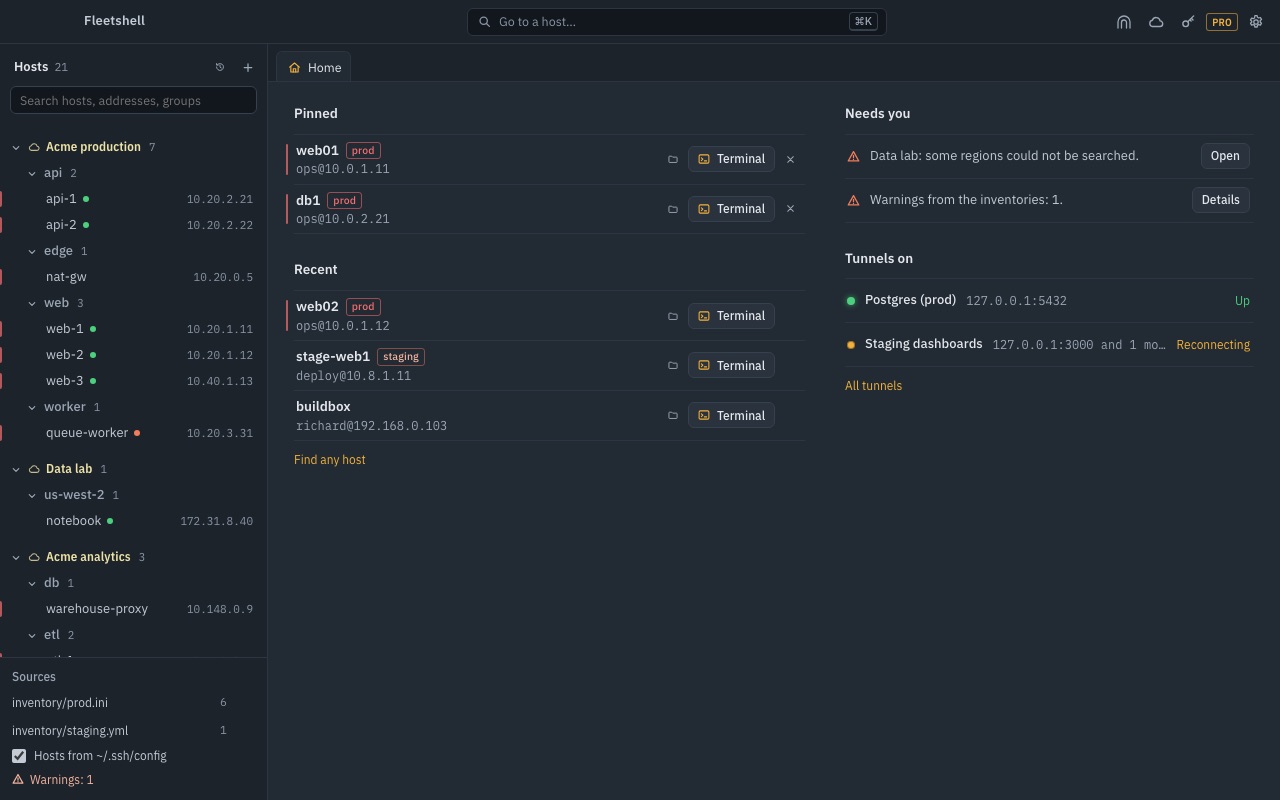
Fleetshell reads the Ansible inventory and ~/.ssh/config you already keep and shows each host in its group. Open a terminal, a file pane or a tunnel from there, or ask a whole group one question and read the answers side by side.
Get FleetshellFree to start, Pro is $9.99 once. macOS, Windows and Linux, in English and Vietnamese.
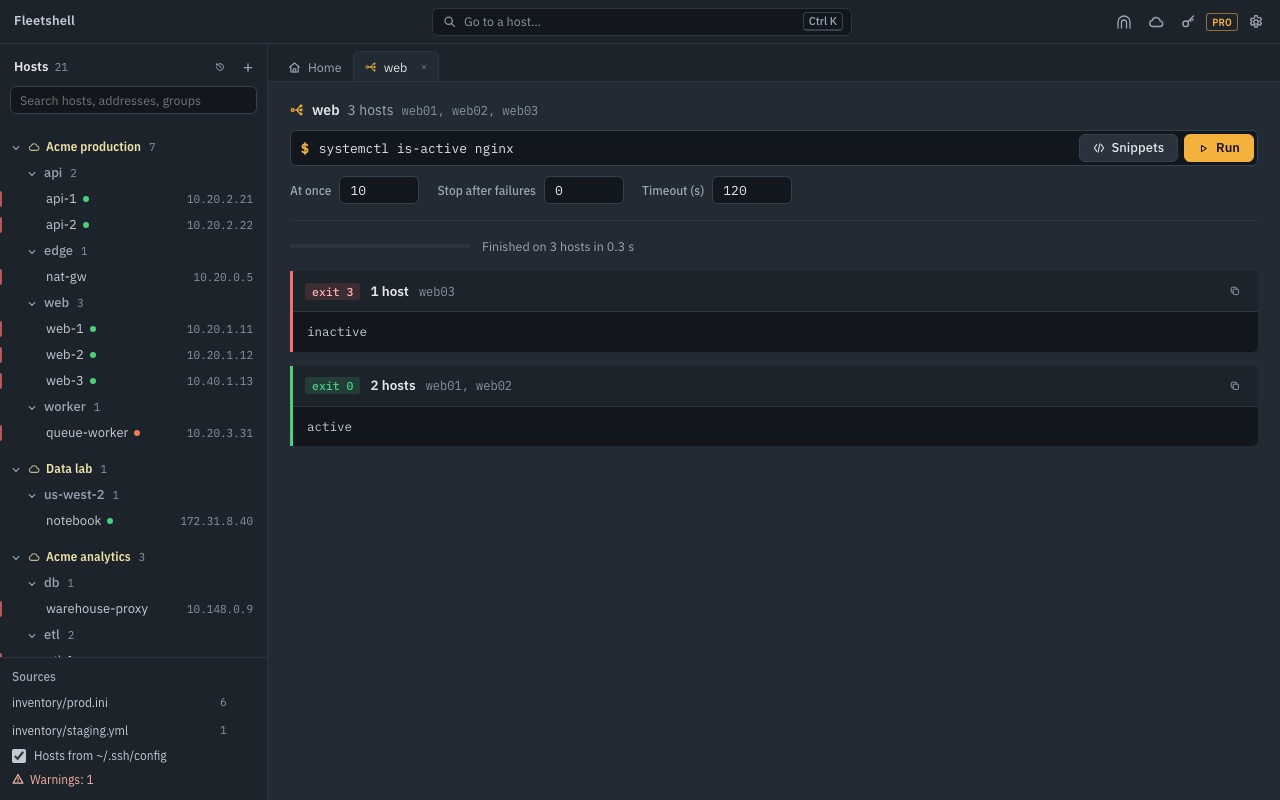
- web03inactive
- web07connection refused
- 10 hostsactiveweb01, web02, web04, web05, web06, web08…
Your inventory is the host list
Add an inventory once. Groups, users, ports, jump hosts and host variables come with it, and edits to the file show up in the tree.
- INI and YAML inventories, group_vars and host_vars, plus ~/.ssh/config
- Pinned and recent hosts on Home, ⌘K to jump to any host or action
- prod and staging marked in red and orange, with a question before a command runs on prod
One command, a whole groupPRO
Run a command on every host in a group. Hosts that answered the same are folded into one row, failures come first, and the run stops after as many errors as you allow.
- Snippets with {{variables}}, history per host
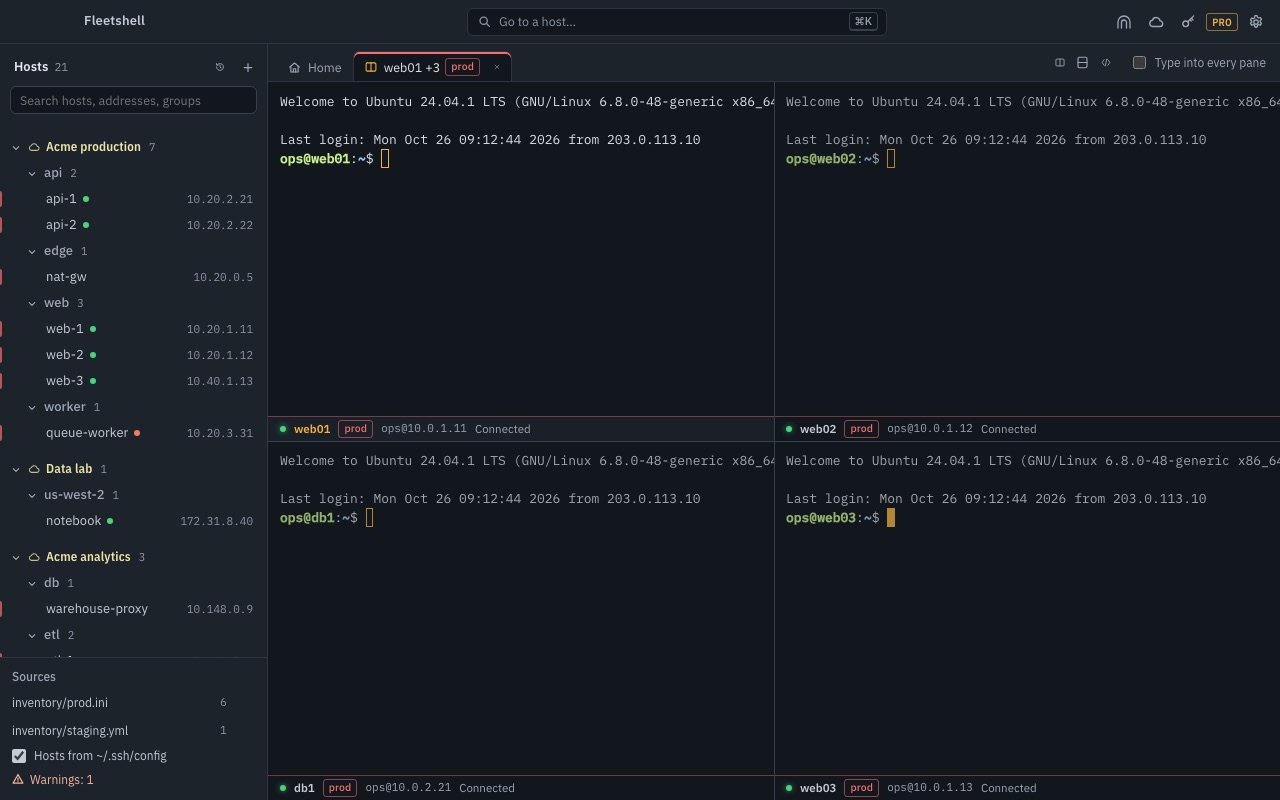
- Type into every pane of a split at once
Cloud machines with no port 22 openPRO
Add a cloud account and the machines that match your tags or labels join the tree. Fleetshell reaches them the way each cloud recommends for machines without a public address.
AWS
EC2 instances by tag, a shell or SSH through Session Manager. No inbound port, no bastion, no key on the instance.
Google Cloud
Compute Engine VMs by label, SSH through Identity-Aware Proxy, with OS Login deciding who gets in.
Azure
VMs by tag across subscriptions, SSH through Azure Bastion's native client tunnel.
Terminals the way you work
Tabs and split panes that come back when you reopen the app, each pane with its host, its state and a search through the scrollback.
- Six colour themes, IBM Plex Mono or JetBrains Mono
- A warning before pasting several lines
- Reconnects by itself after sleep or a Wi-Fi change
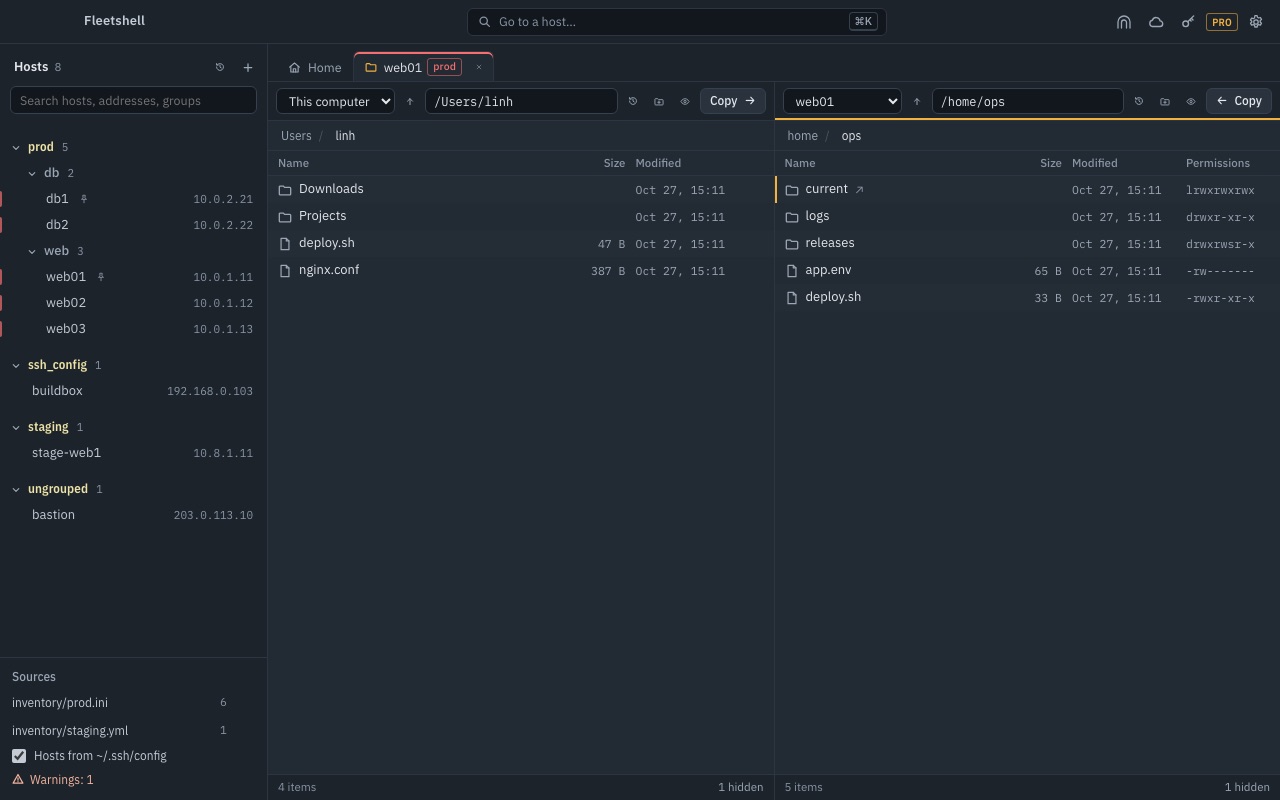
Files side by side
Two panes, any host or this computer on either side. Drag to copy, pick up after the network drops, and edit a remote file in place without overwriting someone else's change.
Keys that stay on your computer
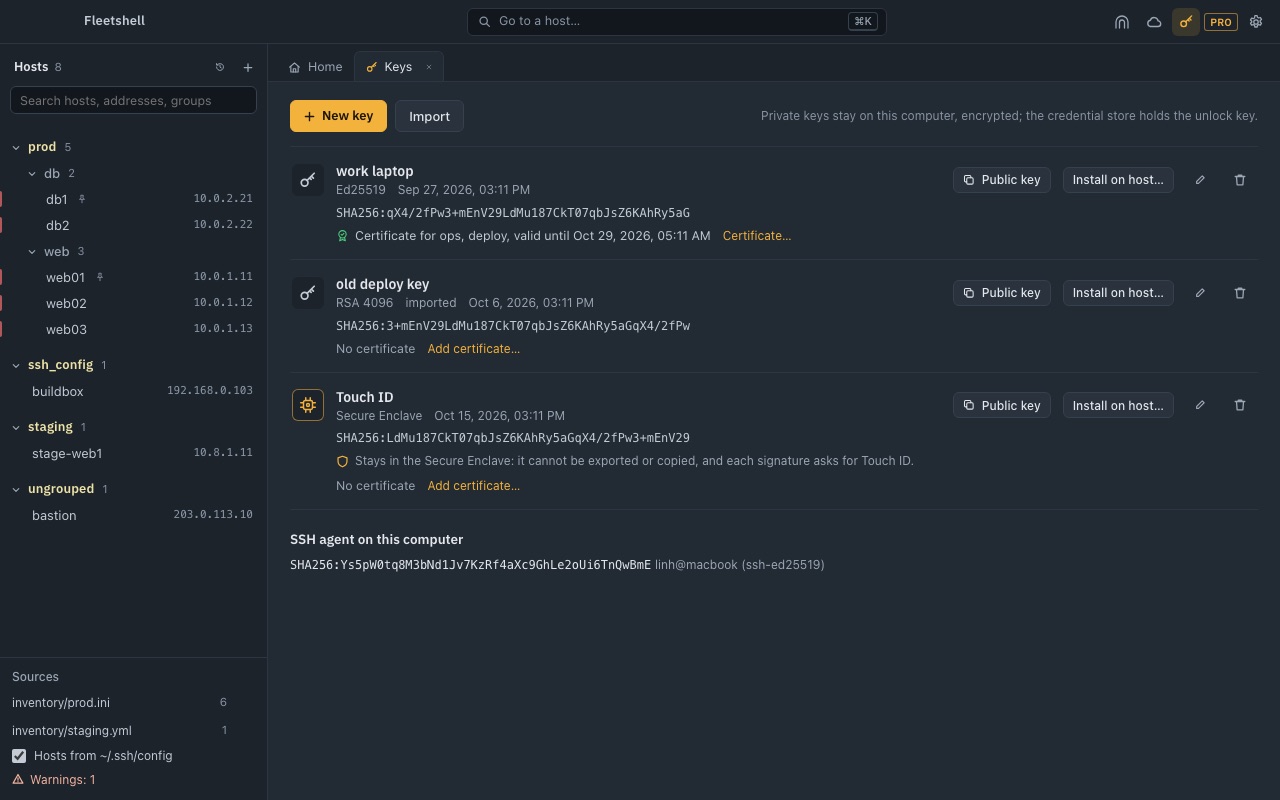
Private keys are encrypted on disk and unlocked through the system keychain. OpenSSH certificates work, and on a Mac with Pro a key can live in the Secure Enclave and ask for Touch ID on every signature.
- A host key Fleetshell has not seen is shown for you to compare; a changed one is refused
- Your ~/.ssh is only read, never written
- Encrypted backups of hosts, keys, tunnels and accounts
Free, with a one-time Pro
No account, no subscription, no analytics. Nothing leaves your computer except to your servers and the cloud accounts you add.
| Feature | Free | Pro, $9.99 once |
|---|---|---|
| Hosts from inventories and ~/.ssh/config, terminals, split panes | ✓ | ✓ |
| Two-pane files, remote editing, keys, certificates, backups | ✓ | ✓ |
| Tunnels | 2 | Unlimited, opened at start |
| One command on a group, typing into every pane | – | ✓ |
| AWS, Google Cloud and Azure machines | – | ✓ |
| Secure Enclave keys with Touch ID (Mac) | – | ✓ |
Get Fleetshell
Fleetshell 2.0 is on its way to the stores. It replaces SSH Tunnel Manager: your saved tunnels and trusted keys carry over.